Resonance: A Plague Tale Legacy – Sica Blade Location, Chapter 7 Gate Puzzle, and Ultrawide Fix
A complete guide to finding the hidden Sica Blade in Chapter 6, solving the complex sunlight reflector gate puzzle in Chapter 7, and fixing 21:9 PC ultrawide black bars.
Asobo Studio’s prequel adventure has been out for a couple of weeks, and players worldwide are currently navigating the treacherous, sun-drenched ruins of the island of Crete. Resonance: A Plague Tale Legacy departs significantly from the grim, rat-infested streets of 14th-century France seen in Innocence and Requiem. By throwing us back to 1334 and placing us in the boots of the Venetian smuggler Sophia, the developers have crafted an experience that relies heavily on brutal melee encounters, stealth survival against the mysterious “Presence,” and intricate environmental puzzles tied to ancient Minoan architecture.
As the community digs deeper into the labyrinth, certain sections have proven to be significant roadblocks. We have gathered the most frequently requested solutions from players traversing the mid-game sections. This guide will walk you through securing the easily missable Sica Blade hidden deep within Chapter 6, provide a detailed step-by-step breakdown of the complex sunlight reflection puzzle in Chapter 7, and offer a crucial technical workaround for PC players struggling with 21:9 ultrawide monitor rendering issues.
Discovering the Hidden Sica Blade in Chapter 6
Chapter 6 marks a tense descent into the darker, more claustrophobic sectors of the underground ruins. The atmosphere thickens, and the threat of the Prima Macula’s ancient manifestations becomes much more pronounced. During this chapter, you will receive the main objective titled “The Architect: Find a Way to the Surface.”
While following the critical path toward the surface, it is incredibly easy to develop tunnel vision. The oppressive environment naturally urges you to keep moving forward, especially when you can hear the unsettling sounds of the island’s threats echoing off the cavern walls. However, if you rush, you will completely miss an optional crypt that houses one of the best secondary weapons in the game.
Finding the Hidden Tunnel
As you progress through the main stone tunnel following your objective marker, stop and observe your surroundings carefully. Keep your light source directed toward the left side of the cavern wall. You are looking for a small, jagged gap in the stonework. It is a tight squeeze, barely large enough for Sophia to fit through, and it blends almost perfectly with the surrounding rubble.
Once you spot this opening, leave the main story path and push through the gap. You will find yourself on a small ledge overlooking a forgotten section of the ruins. Drop down safely and proceed through the newly revealed ancient doorway.
The Minoan Tomb
Beyond the doorway, you will encounter a spiraling stone staircase descending further into the earth. At the bottom, Sophia will enter a secluded, dust-filled crypt containing a solitary, ornate tomb adorned with ancient Minoan script. Approach the stone sarcophagus and interact with it. After a brief animation where Sophia pries open the seal, you can claim the Sica Blade.
Why the Sica Blade Matters
Unlike Amicia, who relied on range and distraction, Sophia is a hardened smuggler who must engage in close-quarters combat. The gameplay heavily emphasizes parrying and executing enemies who crowd you. The Sica Blade is not merely a cosmetic unlock; it slightly alters Sophia’s parry timing windows and grants access to entirely new, brutal execution animations. Having this weapon significantly improves your odds when outnumbered in tight spaces. For more strategies on handling multiple aggressors, consult our combat guide.
Solving the “Find a Way to Open the Gates” Puzzle in Chapter 7
Immediately after surviving the depths, Chapter 7 introduces a massive, ancient mechanical gate that completely halts your progress. This section of the game fully integrates the highly anticipated dual-timeline “resonance” mechanic with environmental puzzle-solving, requiring you to manipulate ancient technology that relies on the island’s intense sunlight.
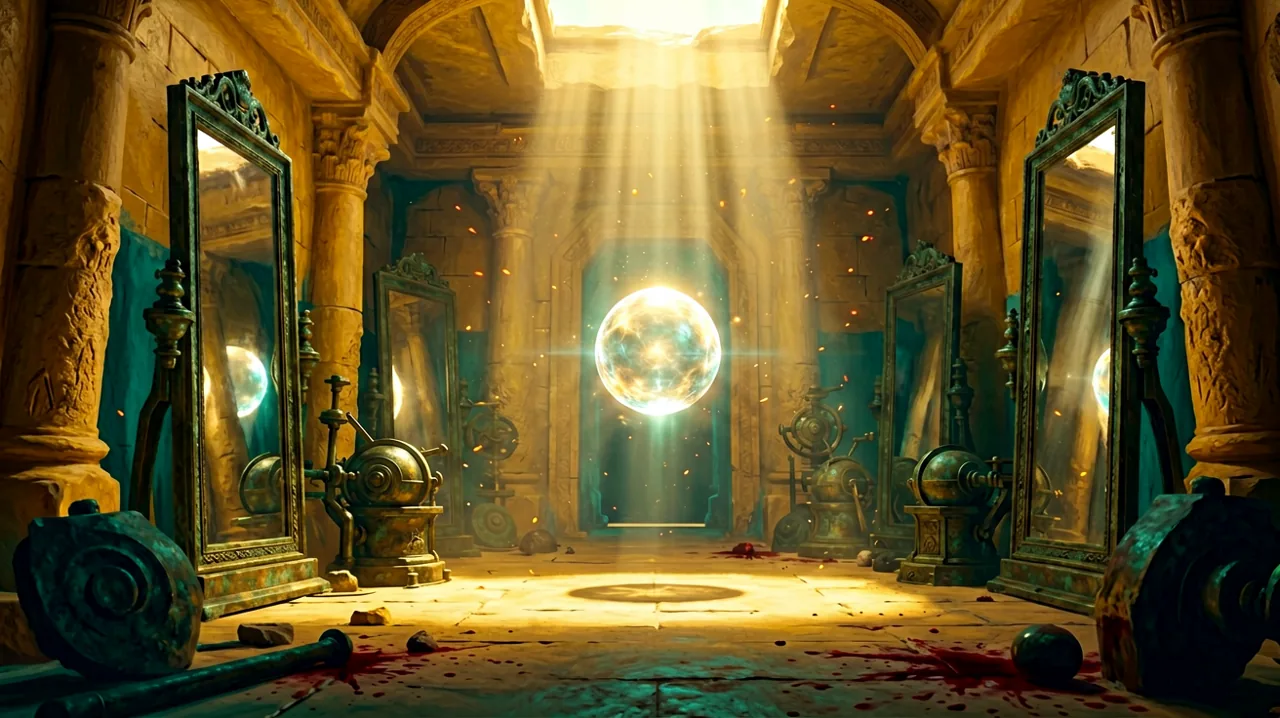
During the “Find a Way to Open the Gates” subquest, you enter a large, sunlit chamber filled with towering bronze reflectors and heavy levers. Your primary objective is to redirect a single, powerful beam of sunlight streaming from a hole in the ceiling onto a specific metal plate embedded in the floor directly in front of the locked gate.
Step-by-Step Puzzle Walkthrough
- Survey the Mechanism: When you step into the room, do not touch anything immediately. Look at the beam of sunlight near the gate and note the positions of the various reflectors on their pivoting bases. You will see that the target plate on the floor is currently shrouded in shadow.
- Locate the Primary Lever: Turn away from the locked gate and walk to the absolute back of the chamber. Here, you will find a large wooden and bronze lever connected to the room’s central mechanism.
- Redirect the Main Beam: Interact with the lever and begin pushing it. You need to rotate the mechanism until the core beam of sunlight travels across the room and strikes the left side of the chamber. Keep turning until the light perfectly hits the tall reflector positioned closest to the gate on the left flank.
- Follow the Reflection: Once the beam connects with the first reflector on the left, it will automatically bounce. Because the other reflectors in the room are already in their correct default positions, the light will zigzag across the chamber in a beautiful display of ancient engineering, ultimately striking the target metal plate on the floor.
- Powering Sophia’s Sphere: With the sunlight successfully hitting the floor plate, walk over to the illuminated spot. Equip the Minos Sphere that Sophia acquired earlier. The concentrated solar energy will resonate with the artifact, fully charging it with glowing, golden light.
- Open the Gate: Once the Sphere is fully charged, a button prompt will appear, allowing Sophia to insert the artifact into the adjacent console. The ancient gears will grind to life, unlocking the massive doors and completing the subquest.
This puzzle is a brilliant introduction to the late-game mechanics. Understanding how to track the light and utilize the Sphere is critical for the challenges ahead. For a deeper dive into the lore behind these mechanisms and how the Prima Macula connects to them, check out our light puzzles guide.
Fixing 21:9 Ultrawide Black Bars on PC
Resonance: A Plague Tale Legacy is an undeniable visual feast. The contrast between the vibrant, sun-baked shores of the Aegean Sea and the horrifying, creeping darkness of the labyrinth is stunning. However, PC players utilizing ultrawide monitors have run into a frustrating visual glitch that breaks immersion.
The Aspect Ratio Issue
Numerous players on 21:9 displays have reported that, despite selecting the correct native resolution in the settings menu, the game renders with small black bars (approximately 3 to 5 millimeters thick) on the left and bottom edges of the screen. Bizarrely, players have noted that the issue sometimes temporarily resolves itself upon a fresh installation or reboot, only to return unexpectedly the next time the game is launched.
Applying the Community Fix
The PC gaming community has quickly identified a permanent solution. The fix requires utilizing a tool known as UltrawideIndex, developed by GitHub user RoseTheFlower. If that name sounds familiar, it is because this exact same utility was widely used by the community to fix 32:9 super-ultrawide rendering issues back when A Plague Tale: Requiem launched in 2022.
Here is how to apply the fix:
- Navigate to RoseTheFlower’s official GitHub page and download the UltrawideIndex specific to Resonance.
- Locate your base game directory (usually under
Steam/steamapps/common/Resonance A Plague Tale Legacy). - Extract the downloaded files directly into the directory where the game’s executable (
.exe) is located. - Launch the game. The patch hooks into the rendering engine and forces the aspect ratio to stretch perfectly across the 21:9 canvas, completely eliminating the persistent black borders.
This community patch is safe, widely verified, and does not trigger any anti-cheat software or affect your ability to unlock Steam achievements. With the black bars removed, you can fully appreciate the incredible art direction and framing that Asobo Studio has orchestrated.
If you are experiencing any other technical hiccups, such as traversal stuttering or DLSS artifacting, we highly recommend reading our detailed breakdown on PC stutter fixes and community patches.
As more players complete the 20-hour campaign, we expect even more secrets, hidden lore, and speedrun tactics to surface. Sophia’s prequel adventure has successfully redefined what a Plague Tale game can be, proving that the franchise has plenty of stories left to tell. Stay tuned to our wiki for further updates as we continue mapping out the secrets of Crete.